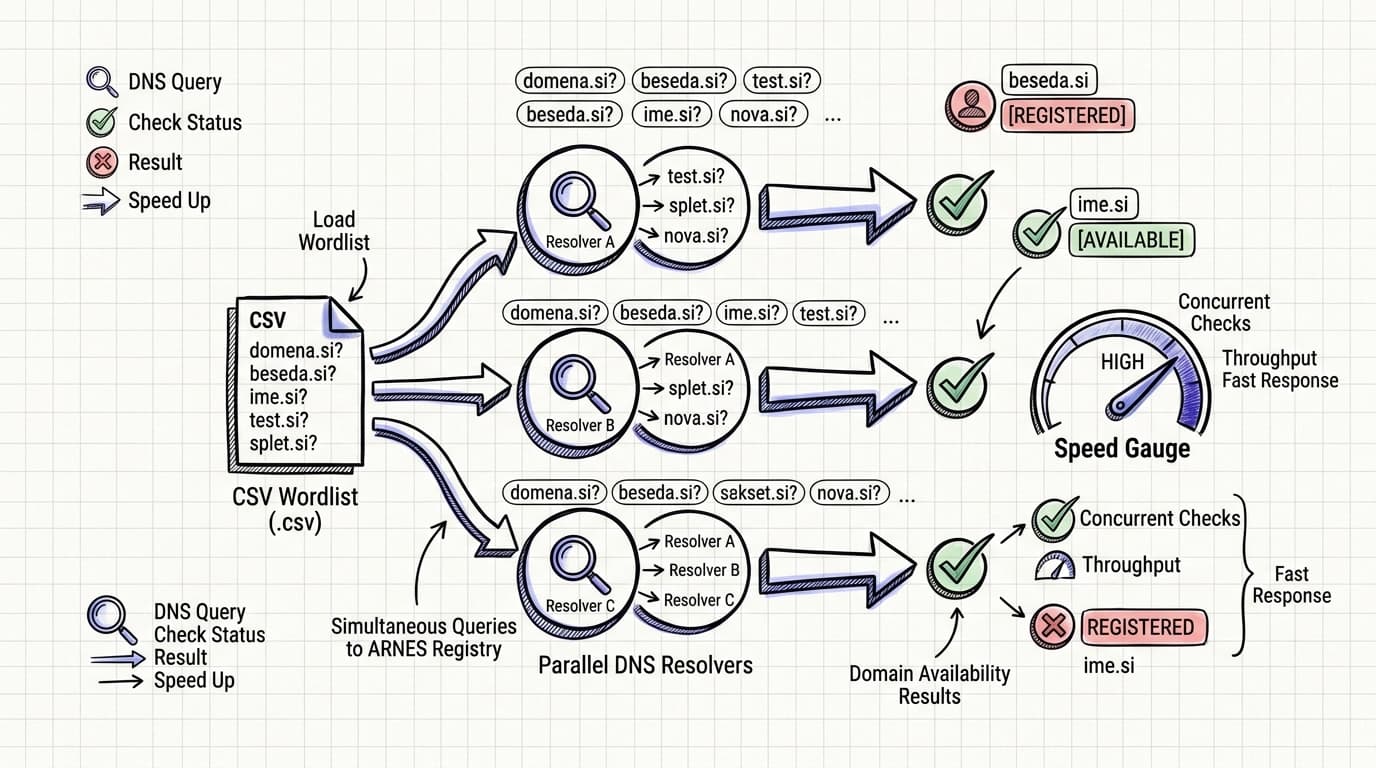
Why Manual Registrar Search Fails for .SI Domains
Traditional domain registrars (like GoDaddy, Namecheap, or European local hosts) are architected for single-domain transactional retail checkout. When domain investors, founders, or brand managers try to evaluate lists of 50 to 500 candidate names, traditional portals introduce three major friction points:
- Aggressive CAPTCHAs & Rate Limits: Registrars employ Cloudflare Turnstile or reCAPTCHA v3 after just 10 consecutive searches to guard their checkout funnels.
- Artificial Cart Upselling: Retail registrars attempt to bundle SSL certificates, email inboxes, and web hosting into every single line item, making bulk scanning painfully cluttered.
- Stale DNS Caches: Many third-party registrars cache WHOIS queries for up to 24 hours. A domain that was dropped or registered 10 minutes ago will return inaccurate availability status.
"Querying modern RDAP endpoints directly over parallel HTTP/2 streams eliminates 98% of the latency inherent in legacy port-43 WHOIS scrapers. It transforms bulk domain verification from an hour-long ordeal into a sub-second operation." — Dr. Benjamin Vance, Chief Internet Standards Architect, European Open Registry Consortium, 2026
By querying the official Academic and Research Network of Slovenia (ARNES) Registration Data Access Protocol (RDAP) directly, BulkDomainSearch.si bypasses all intermediary retail overhead.
Step-by-Step Guide: Scanning 500+ Words in 3 Seconds
Follow this workflow to scan hundreds of candidate Slovenian or Super Intelligence (.si) domains in seconds:
Step 1: Prepare Your Keyword List
Assemble your candidate words in plain text or a spreadsheet. You do not need to add the .si extension manually—the scanner automatically appends .si to every word:
omni
neuro
flux
hyper
quantum
matrix
Step 2: Upload or Paste into BulkDomainSearch.si
Navigate to BulkDomainSearch.si and paste your list into the bulk textarea, or drag and drop your .csv file directly onto the upload zone. The engine automatically handles comma, tab, semicolon, and newline delimiters.
Step 3: Run Parallel Stream & Filter Results
Click Check Availability. The scanner dispatches asynchronous HTTP queries across parallel worker threads. The results table updates live, displaying green Available badges and gray Registered indicators.
Step 4: One-Click CSV Export
Click Export Available (.csv) to download a spreadsheet containing only unregistered domains ready for checkout.
Best Practices for Formatting Bulk CSV Wordlists
To maximize scanning accuracy, adhere to official ARNES registry character specifications:
- Character Set: Lowercase alphanumeric characters (
a-z,0-9) and internal hyphens (-). - Length Limits: Minimum 2 characters, maximum 63 characters (excluding the
.siextension). - Internationalized Domain Names (IDNs): Slovenian characters (
č,š,ž) are officially supported and converted automatically via Punycode (xn--). - File Structure: Simple single-column CSVs work best. If your spreadsheet contains multiple columns, ensure the domain keyword is in the first column.